Views / 6 min read
Automation: move your sound
Draw four MIDI CC contours with separate value lengths, restart counters and output switches.
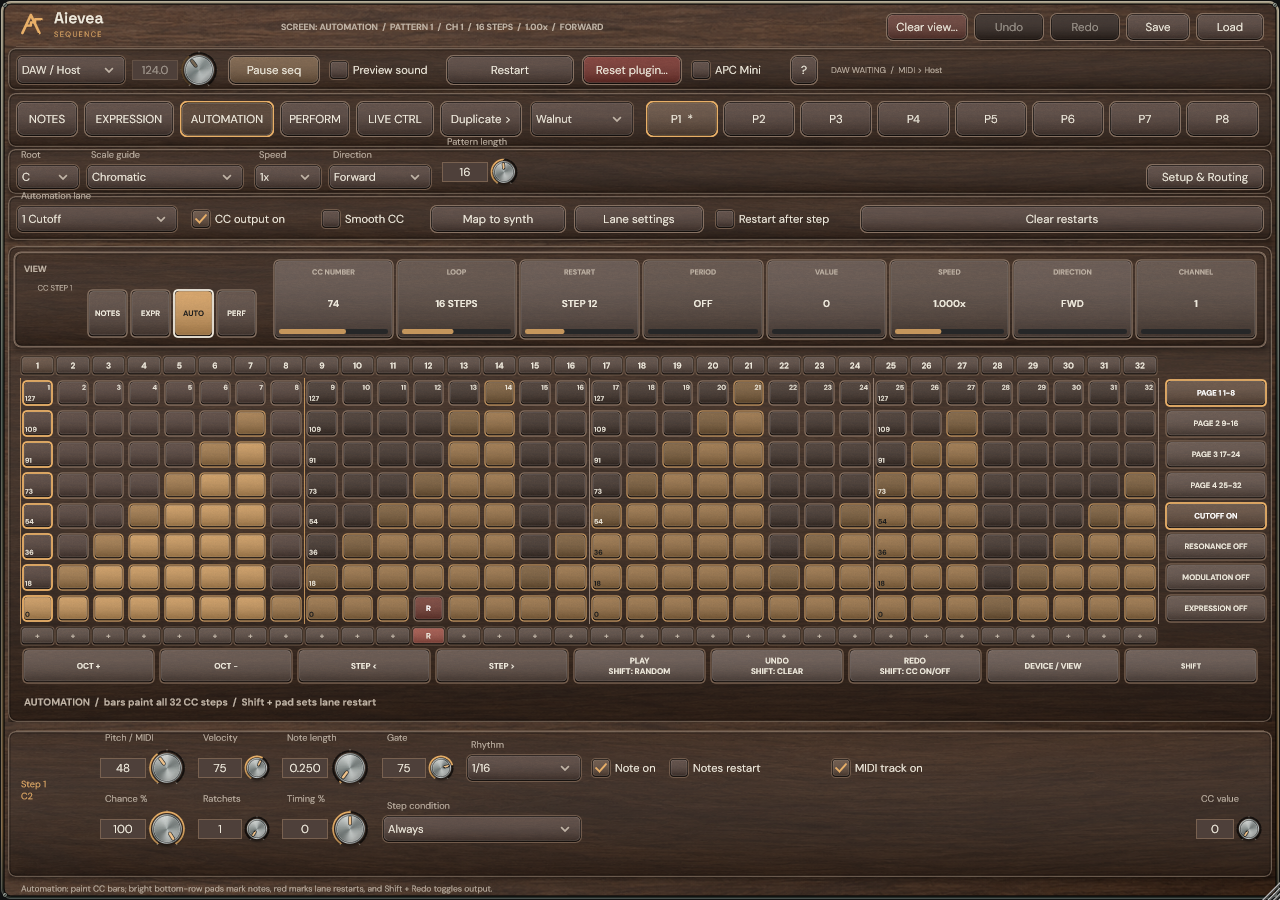
Choose the destination
- Choose a CC lane and open Lane settings to set its name and CC number.
- Enable CC output on. Use Map to synth with the receiving synth’s MIDI Learn, then Done mapping to return to ordinary playback.
- Paint the lane’s values and use the selected-step inspector for exact values. Enable Smooth CC for continuous interpolation.
Separate value length and restart
In Lane settings, choose Independent and set Loop length. The lane follows the sequence’s direction, rhythm and speed while keeping its own value position and restart counter. Follow notes uses the Notes cursor instead.
A five-value loop with a restart after tick eight plays values 1, 2, 3, 4, 5, 1, 2, 3 before returning both lane counters to the start. Its restart leaves Notes, Expression and the other CC lanes running.
Edit restart points and policies
- Use the + / R row or Restart after step to place a restart for the selected lane. Clear restarts removes that lane’s markers.
- Lane settings also offers Transport start, Input note and periodic restart policies. Restart phase restarts this independent lane while preserving the note phrase.
- Check the selected lane before Clear view or Random view. A marker added behind a running counter applies at its next step boundary.