Views / 4 min read
Notes: write the phrase
Place pitches and rests, inspect exact values, and give the note phrase its own restart points.
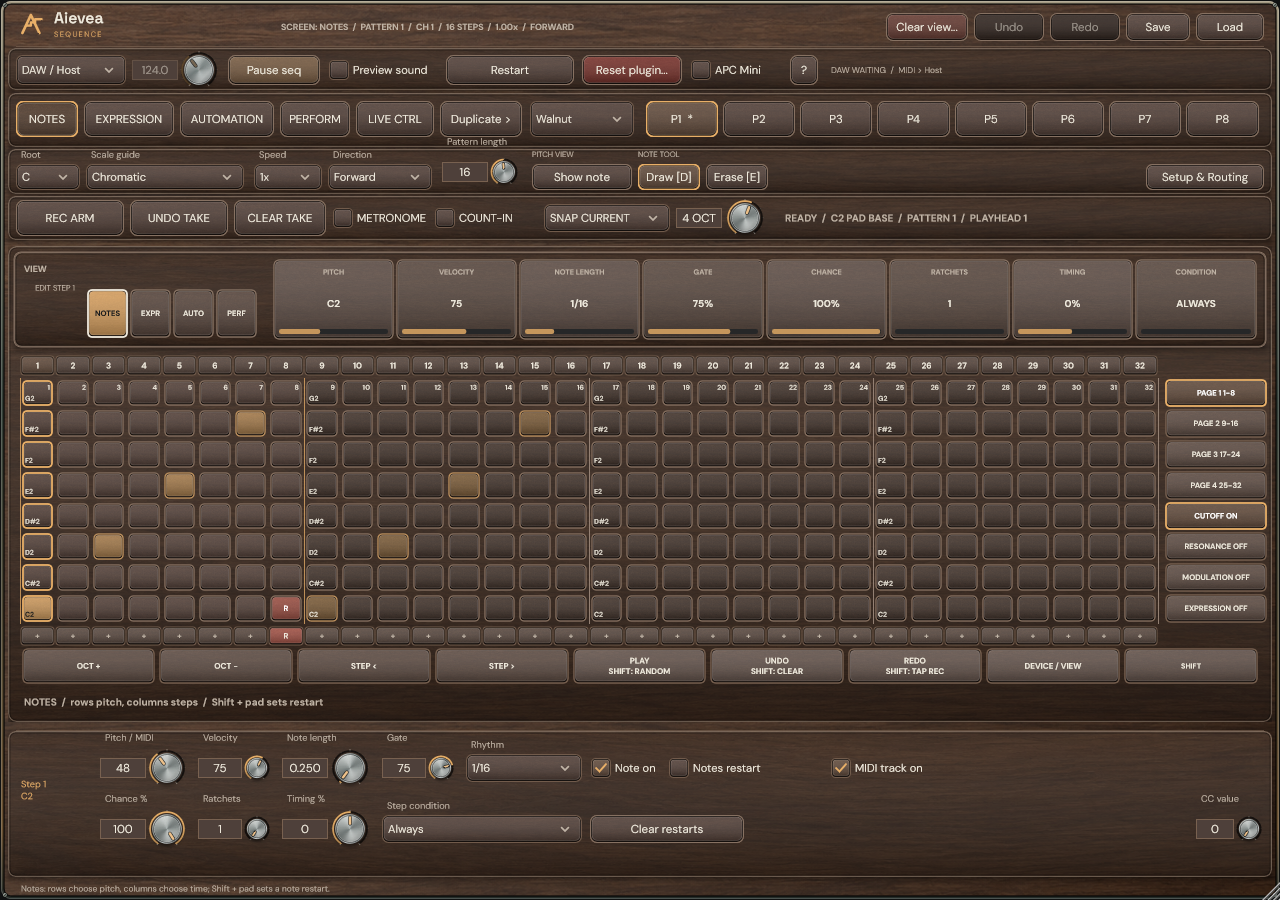
Read the grid
Aievea Sequence shows all 32 step columns and eight pitch rows. Active notes, the selected step, the playhead and restart points have separate markings. An APC Mini edits one eight-step page at a time.
Click a cell to place a pitch or remove an existing note. Draw [D] and Erase [E] support painting across the grid. Click a numbered header to select a step without changing its pitch, then use the inspector below the matrix.
Choose pitches and timing
Use octave navigation to move the visible pitch range and the inspector for exact MIDI pitch. Root and Scale highlight a pitch guide; notes outside the scale remain editable. The guide is selected inside Aievea Sequence.
Pattern length limits the note phrase. Direction and Speed change its playback. Rhythm sets the interval until the next step; Note length sets when a note is released, and Gate scales that length.
Make the phrase restart
- Click a + in the restart row to restart Notes after that step. Click its R to remove the marker. Rests can hold restart points too.
- Use Notes restart for the selected step, or Clear restarts to remove the note markers. Expression and independent CC lanes keep their own restart points.
- To use alternate actions, click SHIFT once to latch SHIFT ON; click it again or press Escape to clear the latch. Physical APC Shift works while held.